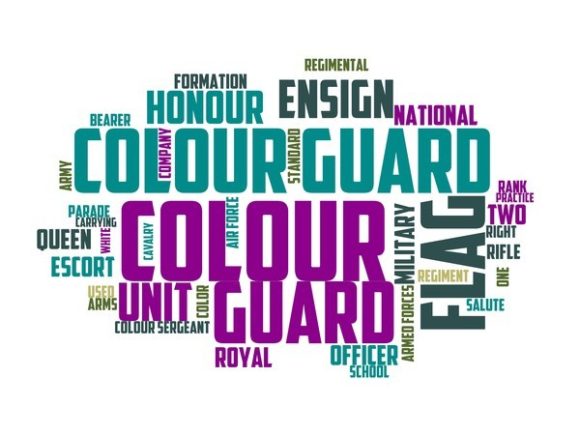
Color Guard Typography Banner: A Hand-Drawn Word Cloud for Versatile Creative Use
A Color Guard Typography Banner is not just another decorative graphic—it’s a hand-drawn, intentionally vibrant word cloud built around expressive typography. Unlike algorithmically generated word clouds or vector-based text layouts, this design emphasizes organic line work, layered color transitions, and balanced visual rhythm. Each letter carries subtle variation in weight, tilt, and texture, giving the composition warmth and personality. It’s crafted to function as both a standalone visual statement and a flexible design element across physical and digital applications.
What Sets This Design Apart from Other Typography Resources
Most typographic assets fall into one of three categories: scalable vector fonts, pre-rendered PNG/SVG graphics, or generative tools that assemble words based on input data. The Color Guard Typography Banner occupies a distinct middle ground. It’s delivered as a high-resolution, layered raster file (often with transparent background), optimized for print and cut files—but designed with hand-crafted integrity, not automation. That means no duplicated glyphs, no uniform spacing, and no reliance on keyword frequency algorithms. Instead, words are curated and arranged by eye for harmony, contrast, and emotional resonance.
This distinction matters most when working across tactile media. For example, screen-printing a poster using a standard font-based banner may yield crisp edges but often lacks depth; laser-cutting fabric with a generative word cloud can produce uneven outlines due to inconsistent stroke widths. In contrast, the Color Guard Typography Banner includes intentional thick-and-thin strokes, overlapping letters, and soft color blends—qualities that translate well to embroidery, heat-transfer vinyl, and even ceramic decal printing.
Where It Excels—and Where It Requires Thoughtful Adaptation
The Color Guard Typography Banner shines in contexts where authenticity and human expression are central. Think handmade greeting cards, boutique packaging, classroom bulletin boards, or limited-run apparel. Its strength lies in evoking inspiration without prescriptive messaging—words like “courage,” “create,” “together,” and “belong” appear not as slogans, but as visual motifs woven into a larger aesthetic.
That said, it isn’t universally suited for every project. Because it’s hand-drawn rather than parametric, editing individual words—or swapping in custom terms—is not straightforward. You can’t simply highlight and type over “joy” to make it “peace.” Adjustments require graphic editing skills and respect for the original composition’s balance. If your use case demands frequent text updates—like rotating event names on weekly flyers or personalizing student name tags—this format may add time and complexity compared to editable font-based banners.
Similarly, while the design scales well up to 24 inches for posters or wall decals, extreme reduction (e.g., for 0.5-inch embroidered patches) risks losing legibility in finer details. In those cases, simplified derivatives—such as outlined versions or monoline interpretations—may serve better. The original Color Guard Typography Banner works best when its expressive qualities remain visible and legible at final output size.
Practical Comparisons Across Common Applications
- Clothing & Textiles: Works exceptionally well on cotton tees, tote bags, and denim jackets—especially when paired with direct-to-garment (DTG) printing or puff ink techniques that enhance its dimensional feel. Less ideal for sublimation on polyester unless color profiles are carefully calibrated to preserve vibrancy.
- Home Décor & Stationery: Translates beautifully onto throw pillows, ceramic mugs, and notebook covers. Its irregular baseline and varied sizing lend natural movement to surfaces that benefit from organic flow—unlike rigid grid-aligned fonts that can feel static on curved or textured substrates.
- Digital Marketing & Promotions: Effective for Instagram story highlights, printable event programs, or email headers—particularly when brand voice leans toward approachable, inclusive, or artisanal. Not recommended for accessibility-critical contexts (e.g., government outreach) without supplemental plain-text alternatives, since readability depends on visual interpretation rather than semantic HTML structure.
- Scrapbooking & Mixed Media: Offers rich layering potential—cut-out letters can be stacked, shadowed, or combined with washi tape and watercolor washes. Its non-uniform edges integrate more naturally with analog materials than perfectly aligned digital type.
When to Choose the Color Guard Typography Banner—And When to Look Elsewhere
The Color Guard Typography Banner fits best when your goal is to convey warmth, inclusivity, or creative energy—not precision, speed, or strict customization. It supports storytelling through mood and texture, not utility alone. Consider it if you’re designing for audiences who respond to craft-based aesthetics: educators building classroom culture, wellness practitioners launching retreats, small-batch makers branding their collections, or nonprofits communicating community values.
You may want to explore other options if your priority is rapid iteration, multilingual support, or technical integration. For instance, if you need banners that auto-update with real-time data (like attendee counts or live poll results), a dynamic web-based generator would be more appropriate. If your brand guidelines require exact Pantone matches across all touchpoints—and the Color Guard Typography Banner’s hand-mixed colors don’t align—you’ll likely need to commission a custom adaptation or choose a vector-based alternative with defined swatches.
Also consider production constraints. While many users successfully apply this design via Cricut or Silhouette machines, intricate inner cuts (like negative space within letters) may require test runs on your specific material and blade. Some crafters find success by simplifying layers first in Illustrator or Affinity Designer—removing fine interior lines before cutting vinyl or cardstock.
Integrating It Thoughtfully Into Your Workflow
Start by reviewing the file package: most versions include layered PSD or PNG files, color guides, and usage notes. Take time to study how words interact spatially—notice which ones anchor the top, which recede, and where color gradients shift. This helps anticipate how cropping or resizing might affect balance.
If adapting for textiles, test print on scrap fabric first—not just for color accuracy, but for how ink saturation interacts with the design’s delicate overlaps. On dark garments, consider whether white underbase will mute intended transparency effects. For stickers or magnets, verify bleed and die-line requirements with your vendor; the hand-drawn nature means edges aren’t always mathematically straight, so allowances matter.
Finally, think beyond literal reproduction. You might isolate single words for social media avatars, trace outlines for hand-lettering practice, or use the color palette as inspiration for coordinating solids in a capsule collection. The Color Guard Typography Banner invites reinterpretation—not just replication.
Final Considerations Before Use
Like any hand-crafted resource, the Color Guard Typography Banner reflects intentionality at every stage—from word selection to ink blending. That care comes with tradeoffs: greater visual impact, yes—but also less flexibility out-of-the-box. Its value emerges most clearly when matched to projects where feeling matters as much as function.
Ask yourself: Does this need to feel human-made? Will viewers connect more deeply with irregularity than uniformity? Is the message strengthened by visual warmth rather than clinical clarity? If the answers trend toward yes, then the Color Guard Typography Banner offers a rare blend of artistry and utility—one worth integrating with attention, not just convenience.